

Transcription settings
Before transcribing, Audiotext shows the settings of the transcription, grouped in cards. They’re remembered for the next time, and each transcription keeps the settings it was made with.
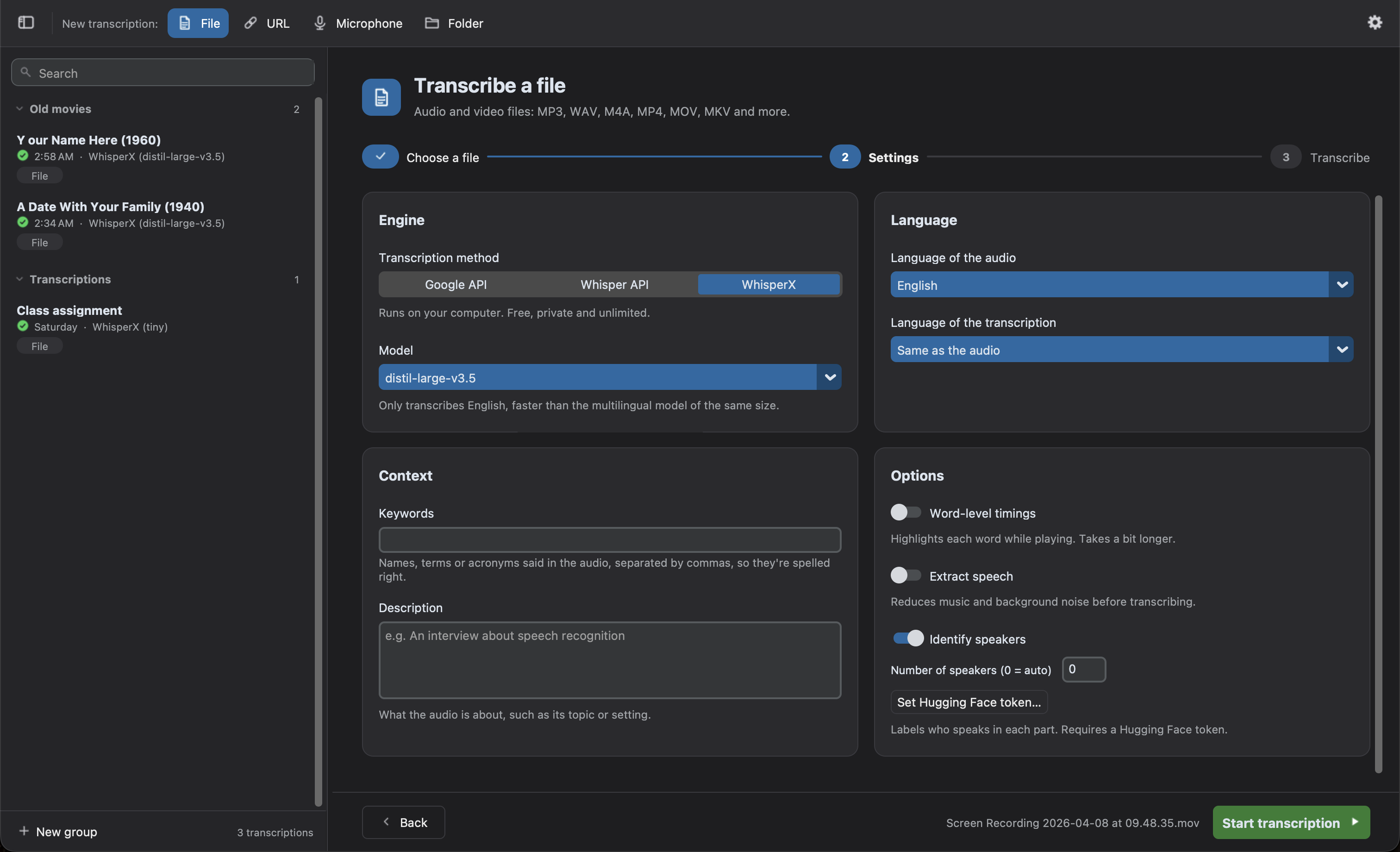
Engine
Section titled “Engine”The Transcription method:
| Engine | Where it runs | Cost | Notes |
|---|---|---|---|
| WhisperX (default) | Your computer | Free and unlimited | Private and offline. More options: speakers, word timings, live text. Runs on the GPU of Macs with Apple Silicon. |
| Whisper API | OpenAI servers | Paid per minute | Requires an OpenAI API key. For computers that can’t run WhisperX smoothly. |
| Google API | Google servers | Free tier, or paid | Lower quality and no timestamps. An API key is optional. |
The Model depends on the engine. With WhisperX, larger models are more accurate, but slower. With the Whisper API, it decides whether the transcription has timestamps and speakers. See Engines to compare them.
Language
Section titled “Language”- Language of the audio: Auto-detect by default. Choosing it avoids mistakes in short or mixed audios. The Google API can’t detect it, so you have to choose it.
- Language of the transcription: Same as the audio by default. Choose another language to translate the audio while transcribing.
When both languages differ, the Translation options appear:
- Translate with Whisper (recommended): Whisper transcribes and translates the audio in one step. It can only translate into English.
- Write it directly in language (experimental): Whisper is asked to write the transcription in that language directly. It works well for many languages, but check the result.
The Google API can’t translate. To translate a transcription into any language later, with more providers, use the Translate button of the transcript.
Context
Section titled “Context”Two optional fields that help the model:
- Keywords: names, terms or acronyms said in the audio, separated by commas (e.g.
Audiotext, WhisperX, Henestrosa), so they’re spelled right. They’re only hints: a keyword is only written if it’s said in the audio. - Description: what the audio is about, such as its topic or setting (e.g.
An interview about speech recognition).
They’re used by WhisperX and the Whisper API, except by the gpt-4o-transcribe-diarize model. The Google API doesn’t use them.
Options
Section titled “Options”- Word-level timings (WhisperX): aligns each word with the audio, to highlight it while playing and to review the words it’s least sure of. Takes a bit longer. On by default. The subtitles need the timings of the words, so it’s turned on and locked while
.srtor.vttis chosen in the File types of a folder; your own choice comes back when they’re no longer chosen. - Reduce background noise: reduces hum and steady background noise, and evens out quiet speech, before transcribing. Takes longer.
- Identify speakers (WhisperX): labels who speaks in each part, e.g.
SPEAKER_00. If you know how many people speak, enter it in Number of speakers (0detects it). It requires a free Hugging Face token; see Identify the speakers. With the Whisper API, thegpt-4o-transcribe-diarizemodel identifies the speakers.
Identify the speakers
Section titled “Identify the speakers”The model that identifies the speakers, pyannote/speaker-diarization-community-1, is free but requires a Hugging Face token:
- Create an account on Hugging Face and accept the conditions of pyannote/speaker-diarization-community-1.
- Create a token with the
Readrole in your settings. - Click Set Hugging Face token… and paste it.
The model is downloaded the first time it’s used. After that, the speakers are identified offline.
Live text
Section titled “Live text”Only shown for the microphone. See Live text.
Folder and Output
Section titled “Folder and Output”Only shown for folders:
- Watch the folder: see Watch a folder.
- Transcribe the files already in the folder (only while watching): first transcribes the files the folder already contains that don’t have a transcription yet. Off by default.
- Include subfolders: also transcribes the files of the subfolders.
- Skip files matching: names or paths of the files to skip, separated by commas (e.g.
*.wav, drafts/*). Hidden files are always skipped. - File types: with WhisperX, one or more of
.txt,.srt,.vtt,.json,.tsvand.aud. With the Whisper API, the format of the files (text,json,verbose_json,srtorvtt); the subtitles need a model with timestamps. The Google API returns plain text (.txt). - Location: the files are saved next to each source file. Click Change… to save them in another folder (its subfolders are recreated), or Next to the source to go back.
Files that already have a transcription are skipped. To transcribe them again, use the options of the files of the folder.
The subtitle options (line width, line count, highlighted words) are in the Preferences.